The demand for online learning is rapidly growing and finding the best LMS Plugin in WordPress is a must. So, WordPress users now you are in the ultimate position to take advantage of it. Whether you’re a teacher, educator, or SaaS business, choosing the best LMS plugins in WordPress can turn your website into a perfect eLearning platform.
But with huge varieties of plugin options available, finding the best WordPress LMS plugin for selling courses can be time-consuming.
That is why in this article, SaaS Space will break down the top LMS plugins for WordPress, comparatively walk through their features and usability, and obviously help you choose the best solution to create an online course website with WordPress without coding.
What is an LMS Plugin?
A Learning Management System (LMS) plugin is a WordPress tool that helps to build, control, and sell online courses directly from the WordPress website.
With a feature-rich WordPress learning management system plugin, you can:
- Generate perfectly structured courses
- Via the best quiz plugins integrations add quizzes and assignments
- Track your students progress
- Accept payments via powerful payment integrations (for example; Stripe or PayPal)
In short, a proper LMS plugin converts WordPress into an absolute eLearning platform.
How to Choose the Best LMS Plugin in WordPress
Before selecting the best LMS plugin for WordPress website, take into consideration these key points:
- Ease of Use: Is it beginner-friendly?
- Course Builder Features: Drag-and-drop, multimedia support
- Monetization: Supports subscriptions, memberships, one-time payments
- Performance: Lightweight and optimized
- Integrations: Works with WooCommerce, Zoom, Stripe, PayPal, advanced quiz tools
- Scalability: Can it grow parallely with your platform?
Selecting the right WordPress LMS plugin is foremost if you aim to scale your course business.
5 Best LMS Plugins for WordPress
1. Fox LMS Best WordPress LMS Plugin
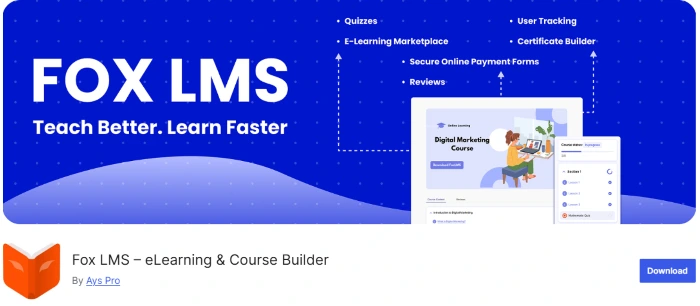
Fox LMS WordPress plugin stands out as one of the most high-powered solutions for generating and monetizing an online learning platform. If you’re looking for a high-performance, scalable, efficient and easy-to-use WordPress LMS plugin, then this tool is surely your answer.
Unlike other LMS tools that require multiple add-ons for comprehensive usage, Fox LMS is built as an all-in-one eLearning system and has a beginner-friendly interface. Hence, allowing you to create, manage, and sell courses from a single dashboard without complexity.
What makes Fox LMS different from other WordPress LMS plugins is its balance between both simplicity and power. This plugin is built to be advanced and not overload your website with its lightweight and performance-friendly interface.
Better performance compared to heavier LMS plugins, improving SEO and user experience.
It provides users everything they need, specifically course creation, monetization, analytics, and engagement tools. Notably without bringing users into a complicated ecosystem of add-ons.
Key Features
Course & Lesson Builder
Build structured courses with lessons, videos, and quizzes directly inside WordPress. Moreover, you can build a complete online course website via WordPress without relying on third-party tools.
Built-in Monetization
Easily sell online courses on WordPress and make revenue without extra plugins. Because of the supported secure payments (for example, PayPal integration).
Student Progress Tracking & Analytics
Track students activity, course progress, and performance insights, as a result optimize your courses and improve student engagement with real data.
Advanced Quiz & Assessment System
Fox LMS is integrated with the best quiz plugin, therefore supports multiple question types and scoring systems to create interactive learning experiences.
Certificate Builder
Increase course value and student motivation by generating personalized certificates once the course is completed.
Automated Email Notifications
Send automated email updates concerning course progress, achievements, and activities, thus save time while improving communication.
eLearning Marketplace Functionality
Allows multiple instructors to create and sell courses, for instance you can easily scale into a Udemy-style marketplace and grow your platform revenue.
What Fox LMS is Best For
- Build an absolute eLearning platform on WordPress
- Create and sell courses without complex setups
- Launch a multi-instructor course marketplace
- Develop employee training or internal learning systems
Who is Fox LMS Perfect For?
Course creators & educators → Generate and monetize courses
Coaches & consultants → Sell structured programs and training
Agencies & developers → Create LMS websites for clients faster
Startups & SaaS founders → Build scalable education platforms
Companies & HR teams → Manage employee training and onboarding
In short, scale fast, grow smart, and keep full control over your eLearning business with Fox LMS plugin.
2. Tutor LMS
Tutor LMS WordPress plugin is a seamless and responsive LMS tool. Notably this plugin allows to build feature-rich and professional online learning management systems. Furthermore, Tutor LMS allows you to build, manage, and sell courses without writing a single line of code, hence making it ideal for both beginners and growing eLearning businesses.
Key Features
Advanced Course Builder
Generate unlimited courses, lessons, quizzes, and assignments via the intuitive builder.
Native eCommerce & Monetization
Built-in payment system with support for many powerful tools, as well as Stripe and PayPal.
Drag & Drop Certificate Builder
Design and send custom certificates once the course is completed.
Course Scheduling
Release lessons either based on students progress or over your preferred time.
Multi-Instructor & Marketplace System
The plugin also supports collaborative instructors with income sharing.
Advanced Analytics & Reports
Markedly, track student forward motion and course performance.
AI Course Builder
Easily generate courses, quizzes, and content using AI tools.
What Tutor LMS is Best For
- Build a multi-instructor eLearning marketplace
- Launch a scalable online course platform
- Offer certifications, quizzes, and structured learning paths
Who is Tutor LMS Perfect For?
- Educators & coaches → Deliver structured courses and certifications
- Agencies & developers → Build LMS websites for clients efficiently
- Startups & SaaS founders → Launch scalable education platforms
- Training centers & institutions → Manage multiple instructors and courses
3. LearnPress
LearnPress is a flexible and reliable LMS WordPress plugin built for users who want to create and manage online courses with minimal setup. Chiefly, this plugin provides an intuitive approach. In fact, LearnPress allows users to increase already included functionalities via add-ons while keeping your website performance optimized. Furthermore, LearnPress helps you to build and manage online courses professionally, thus making it a good choice for eLearning platforms.
Key Features
Course Builder
Effortlessly build structured courses with lessons and sections with well-supported features.
Modular Add-on System
Enlarge functionalities with add-ons for certificates, payments, and more.
WooCommerce Integration
Correspondingly connect with WooCommerce to trade courses and control payments.
Multi-Instructor Support
Also allow multiple instructors to build and manage courses.
Offline & Online Payments
The plugin includes multiple payment methods, additionally offline options.
Lightweight & Performance-Friendly
Optimized to run stably meanwhile lacking slowing down your WordPress web page.
What LearnPress is Best For
- Generate a reliable and scalable online course platform
- Build and sell courses via the WooCommerce integration
- Grow a flexible eLearning system without heavy tools
Who is LearnPress Perfect For?
- Beginners & budget users
- Course creators
- Small businesses
- Developers & agencies
- Educators & trainers
4. Lifter LMS

LifterLMS WordPress plugin is an extensible and flexible LMS tool created for users who want full control over their eLearning platform. Generally, via this plugin users can combine course creation and monetization into one system. As a result, turn your WordPress website into a compatible eLearning platform with this plugin’s customizable features you need.
Key Features
Responsive Course Builder
Built-in eCommerce & Membership System
Student Progress Tracking & Reporting
Certificates & Achievement Badges
Multi-Instructor & Community Features
Scalable Add-ons & Integrations
What LifterLMS is Best For
- Create a membership-based eLearning platform
- Build and sell courses with reappearing revenue models
- Develop a scalable and customizable online course system
Who is LifterLMS Perfect For?
- Course creators & coaches
- Agencies & developers
- Bloggers & content creators
- Training organizations
- Growing eLearning platforms
5. Sensei LMS
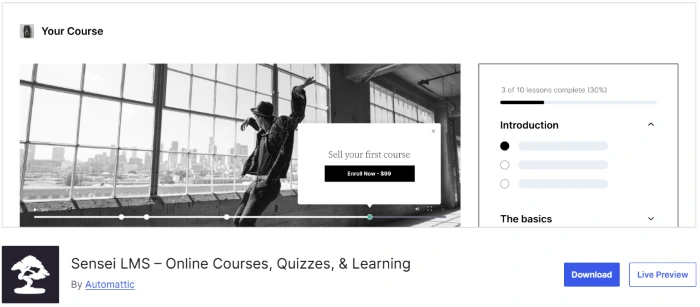
Sensei LMS WordPress plugin is a seamless and reliable LMS tool developed to help share your knowledge. Unquestionably, this plugin focuses on accessibility and simplicity. Sensei LMS is ideal especially for users who are already within the WooCommerce ecosystem. Moreover, with the Sensei LMS you can easily create and deliver courses in an uncomplicated way, hence making it a perfect choice for those who prefer a minimal yet effective eLearning setup.
Key Features
Simple Course Builder
Seamless WooCommerce Integration
Quiz & Assessment Tools
Student Progress Tracking
Content Drip Scheduling
Lightweight and Performance-Friendly
Native WordPress Integration
What Sensei LMS is Best For
- Sell courses using WooCommerce integration
- Generate a simple and clean online course platform
- Build and manage courses with minimal setup
Who is Sensei LMS Perfect For?
- WooCommerce users
- Small business owners
- Content creators
- Developers
- Educators
Tips for Building a Successful LMS Website with Best LMS Plugin for WordPress
In order to get the most out of your WordPress LMS plugin, follow these best practices:
- Use fast and reliable hosting
- Select a lightweight WordPress themes
- Optimize for SEO and mobile interface
- Add engagement tools (quizzes, certificates)
- Focus on high-quality course content
In brief, a fine-tuned eLearning platform on WordPress can notably increase conversions and boost student retention.
To Sum up Best LMS Plugins for WordPress …
In sum, choosing the best LMS plugin for WordPress undoubtedly will play a key role on your eLearning platform.
Henceforth, the real benefit of using a WordPress LMS plugin is to control your own eLearning platform, your audience, and your revenue. So, pick a solution that fits the most to your current distance learning stage but won’t limit you as your course library and user base expand.

- 10 Best Survey Plugins in WordPress - April 2, 2026
- 5 Best LMS Plugins in WordPress - March 26, 2026
- 6 Best Poll Plugins in WordPress - March 23, 2026